Quotes from DevLearn 2010 #DL10

DevLearn 2010 has been an amazing three days of sessions, discussions, tweeting and playing. Too much to blog in detail, but I do want to share some quotes, one-liners and thoughts I heard and that I keep in mind. I hope I do credit the right people, if not, I do apologize…

Jay Cross and the Internet Time Alliance on Informal Learning:

  • An LMS can only be successful if people are “capable learners”.
  • Formal learning can be like a bus ride. People tend to fall asleep.

John Seely Brown on “The Power of Pull”

  • The purpose of a company in the 20th century is to minimize transaction cost and to achieve scalable efficiency. The purpose of a company in the 21th century should be to achieve scalable capability building.

Marcia Conner on “New Social Learning”

  • Together we are better.

Thornton May on “The New Know”

  • Your network will keep you safe

Of course, there were a lot more sessions that were less conceptual but more specific, and thus produce less “quotable content”. Many thanks to all the speakers for sharing their knowledge and kudos to the people of the E-learning Guild for organizing a top event.
Teaching in the future with Microsoft Interactive Classroom

Sometimes you discover a great learning tool, hidden somewhere on the web. The Microsoft Interactive Classroom is such a tool, and it gives us a taste of what classroom training might be in the (near) future. If you have ever wondered if they was way you could avoid printing tons of paper manuals, if you are tired of distributing PowerPoint handouts that nobody ever uses, this is for you.

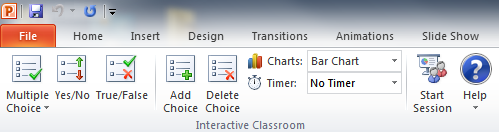
Basically, it is an add-on to PowerPoint and OneNote (2007 or 2010). As a teacher, you use PowerPoint to prepare your slides as usual, and you can use the Microsoft Interactive Classroom add-on to add question slides in your presentation. You get an extra tab in the ribbon for that:

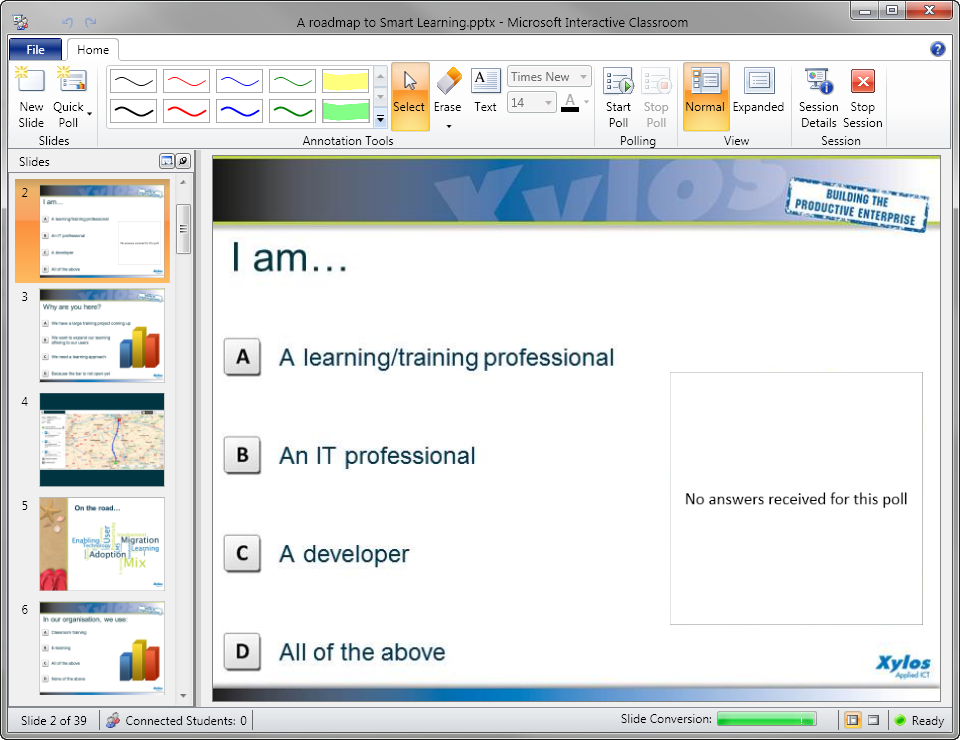
Once you start giving your session, you click the Start Session button. This starts a broadcast of your presentation on the network. Your screen will look like this:

With the ribbon, you can annotate your slides (works great if you have a tablet!) but also start polls, display the results of the poll to your students…

But the best feature is yet to come. Your students connect to your broadcasted session with… OneNote! They automatically get a copy of the slides as a separate note page, they can take their own notes on the slides, they see the annotations of the instructor in their OneNote… and after the session they go home with their own annotated lesson material. Of course, they need to be connected to the same network (wired or wireless).

We tried it during an interactive session of one hour with 20 workstations and it was quite impressive. And what is even better: it’s free!

Update: this tool is now officially part of Microsoft OneNote and called OneNote Class Notebookhttps://www.onenote.com/classnotebook

Microsoft LCDS version 2.5

Microsoft released a new version of its Learning Content Development System, the free content authoring tool. The release notes show the following changes:
  • E-learning created is compatible with Firefox 3.5.9 and Firefox 3.6.3.
  • Microsoft Silverlight 4 Media Player for animations that include closed captioning.
  • Enhanced keyboard accessibility for the sort and tile games, adventure interactivity, and Voice of the Expert element.
  • LCDS authoring and e-learning created are completely compatible with Microsoft Silverlight 4.0.
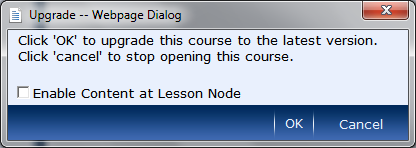
An interesting new feature is the possibility to create content on the “lesson” level. Previous versions did not allow this, which sometimes resulted in blank pages in the course structure when you imported the SCORM package in an LMS. When you open a course in the new version, you will notice an option to enable the content at the lesson level:
Tip: if you don’t know which version of LCDS you are running, open LCDS and press Shift+F1.

Moodle: Flash animations suddenly don’t appear

We experienced a serious issue in one of our Moodle platforms. Flash animations that worked before, suddenly did not appear anymore. Instead, a warning message appears stating that the Flash player used is too old.
This issue was caused by a recent upgrade to the platform. For security reasons, a new parameter was added, that forces the Moodle users to upgrade to a specific version of the Flash player.
The default in my Moodle version (1.9.7) was set to version 10.0.12, which is pretty recent. In corporate networks, users often do not have the rights to upgrade the player, so this might cause some problems.
You can set the value to an earlier version, or leave the option blank to disable the checking. The option is called Required Flash Player Version and can be found in Site Administration – Security – HTTP Security.