

The future of Training is Learning

Metadata is a great feature for easy retrieval of files in any document management system, not only in SharePoint. But sometimes people forget that in some cases, the metadata is stored in the file itself, not only in the repository.
This can lead to painful situations, as Microsoft experienced recently with their new “I’m a PC” ads.
If you are storing Office files on SharePoint, the same thing happens: metadata such as SharePoint columns or content type info gets stored in the file itself.
 If you are using Office 2007, you can use the Inspect Document function to search for hidden metadata, and strip this from the document. This screencast shows you how SharePoint metadata remains in a Word document, and how you can use Inspect Document to remove the metadata.
Today, a colleague had an interesting issue with Groove and SharePoint: he had synced a document library to a Groove workspace, but when he created a new folder in Groove, syncing with SharePoint failed with an error indicating that the folder already existed. The actual error was “Synchronization completed with errors”, and the detail: “The file “Shared%20Documents/xxx” could not be located: It may have been deleted, renamed, or moved.”
It took me a while to figure this out, but it has something to do with the default document library view in the SharePoint library. If this one has the option activated to hide folders (Show Items without folders), syncing with Groove fails. If you turn the folders back on in SharePoint, all goes well. Life is easy, isn’t it? Have a look at the screencast below for more info.
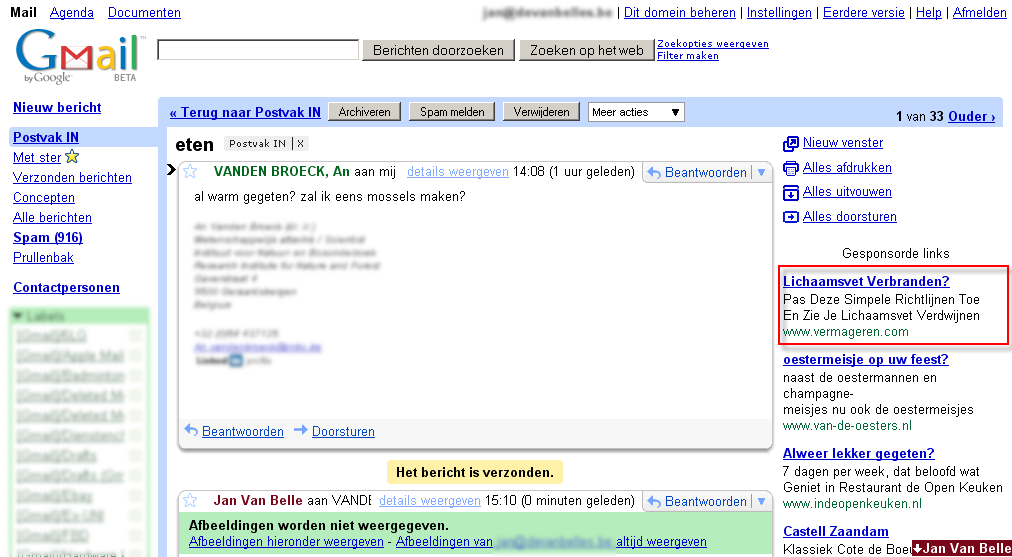
OK, Google, that was really nice of you to offer me unlimited e-mail accounts with unlimited storage, with a nice webmail, a (bit flaky) IMAP integration. For that, I did not really mind that you have a peek in my e-mails to offer me “targeted” advertisement.
Until today. Now you really crossed the line. Bye Google. Back to my favorite hosting company for my e-mail.
I have been playing quite some time now with Microsoft’s Learning Content Development System. I promised in an earlier post to put some content online, but that is where it went wrong. I just could not get the content published in any other LMS than the SharePoint Learning Kit.
After some testing, it seems that the content needs to be hosted on… a Microsoft IIS server. All my test systems were running Apache, PHP and MySQL (as most open source lms systems do).
For me, these are some serious limitations to LCDS as an authoring tool.