Rood
The future of Training is Learning

Some of our customers occasionally report issues with the “Blank screen of Death” in Articulate Rise: they have published a SCORM package of a Rise course in their LMS, and when learners launch the content, they only get a blank screen and the course does not open.
Opening the course in a private window seems to “fix” it, but that is of course not very convenient.
We managed to track the root cause down to the automatic translation feature in Google Chrome: when you have configured your browser to translate certain languages/sites, the browser seems to alter the html of the content in such a way that it does not launch anymore.
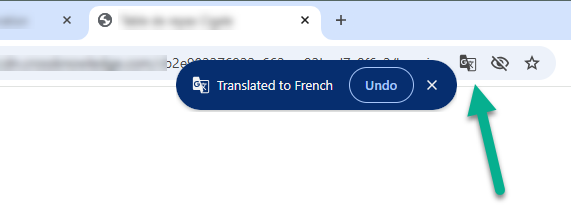
You can fix the issue by:
Once Chrome stops altering the HTML, the course loads normally again.